The Collaboration Diagram, also known as a communication diagram, is a type of interaction diagram that shows how objects interact in a particular context. It focuses on the relationship between objects and their collaboration to achieve specific functionality.
# Components
-
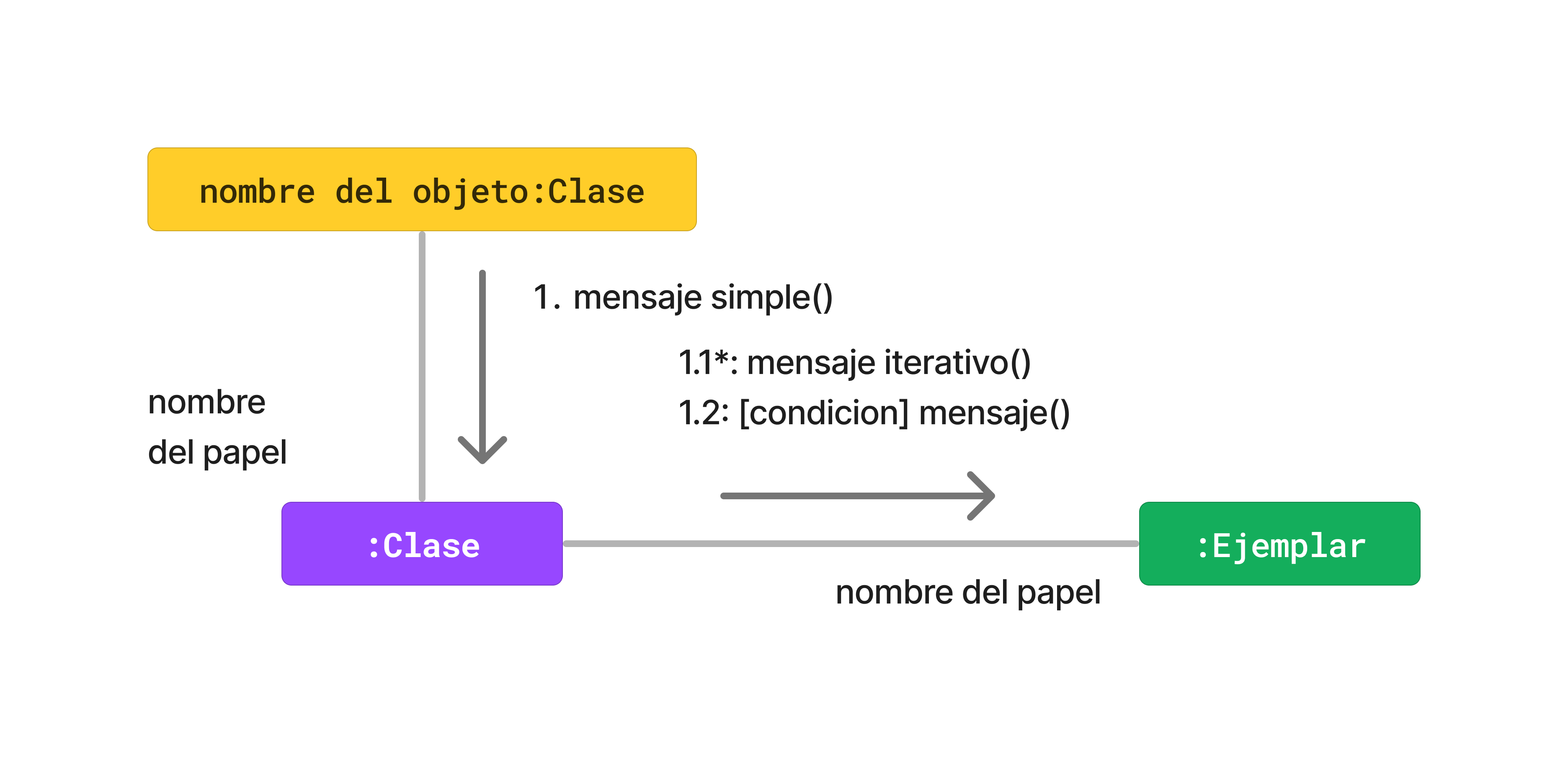
Objects: Represented by rectangles with the object name and its class.
-
Links: Lines that connect objects, showing the relationship and the interaction between them.
-
Messages: Small arrows next to the link. They indicate direction, message name, arguments, and a numerical sequence for chronological order.
# Example: Library System
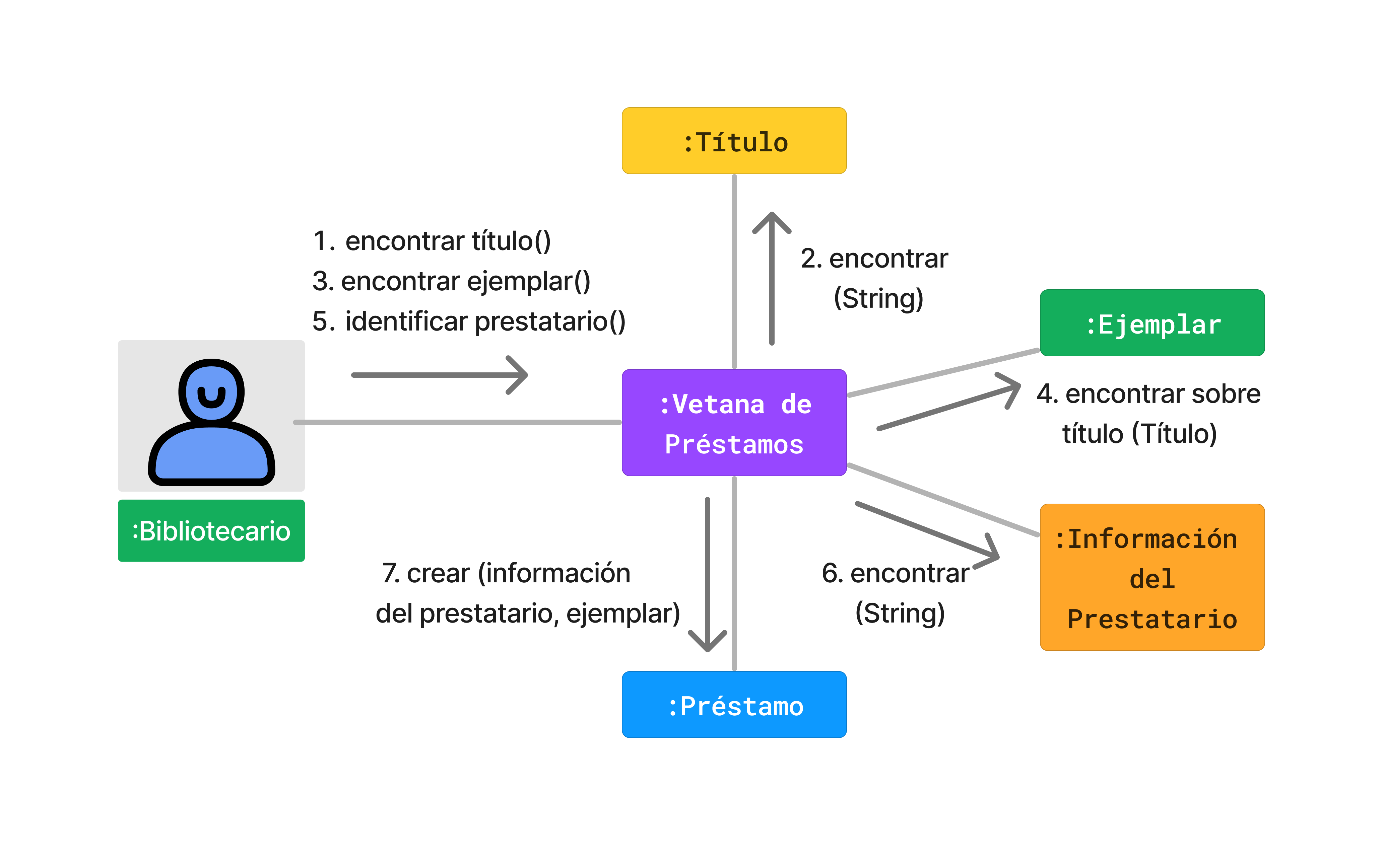
This diagram describes the process for creating a book loan:
Steps of the process:
- The librarian searches for a specific title.
- The system shows the title and available copies.
- The librarian selects the copy.
- The system shows the copy details.
- The librarian identifies the borrower.
- The system confirms the borrower's information.
- The system registers and confirms the creation of the loan.
# Java Implementation
Main interaction class:
public class LoanWindow {
    public Title findTitle(String name) {
        // Logic to find the title
        return new Title(name);
    }

    public Copy findCopy(Title title) {
        // Find an available copy
        return new Copy(title);
    }

    public Borrower identifyBorrower(String name) {
        // Identify the member/borrower
        return new Borrower(name);
    }

    public Loan createLoan(Borrower borrower, Copy copy) {
        // Register the loan
        return new Loan(copy, borrower);
    }
}
check_circle Advantages
- Clarity in physical connections between objects.
- Direct focus on collaboration.
- Complements the temporal view of the sequence diagram.
cancel Disadvantages
- Less focus on temporal order.
- Becomes chaotic in very large systems.
# Conclusions
The collaboration diagram is useful for visualizing the interactions and collaborations between objects in a process, providing a clear perspective of relationships and dependencies.