The sequence diagram represents the interaction between entities in a process; it shows how they interact.
It focuses on the order in which these interactions occur and on the sequence of messages exchanged between objects over time.
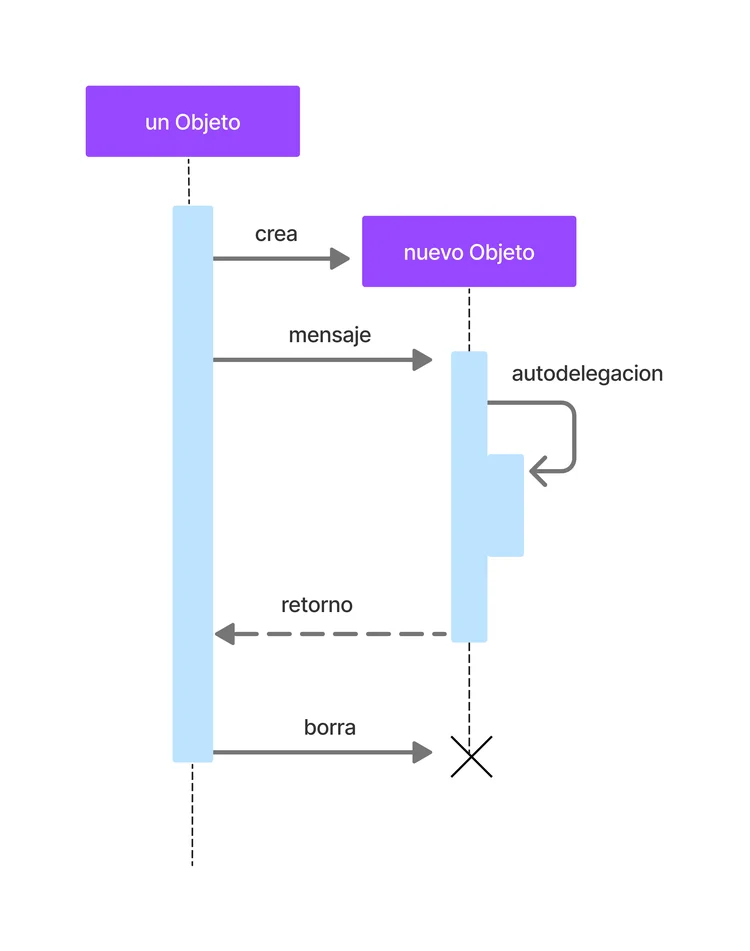
# Sequence Diagram Components
-
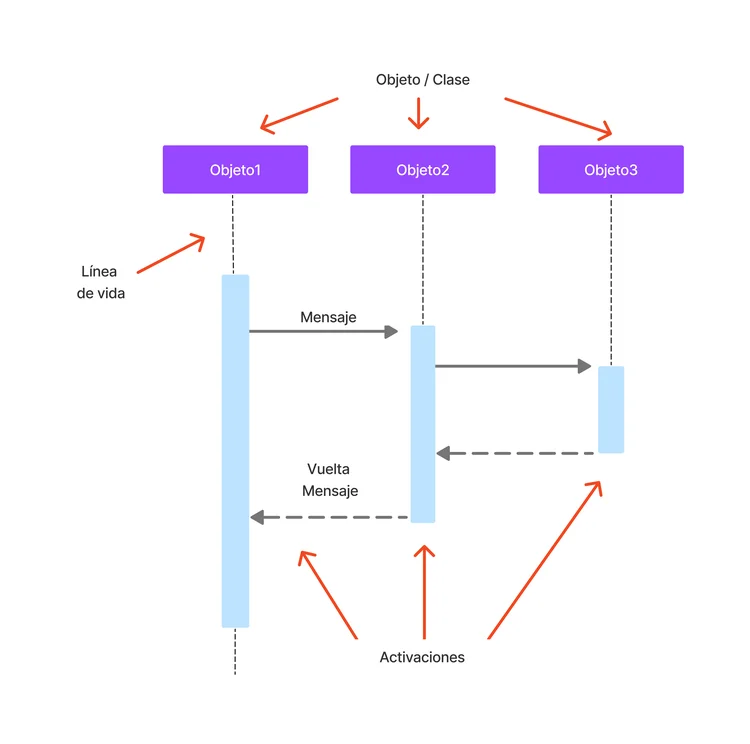
Objects/Classes: Rectangles at the top of the diagram. Each object/class has a lifeline that descends vertically.

-
Lifelines: Vertical dashed lines that indicate the existence of an object during the interaction (can be seen in the previous diagram).
-
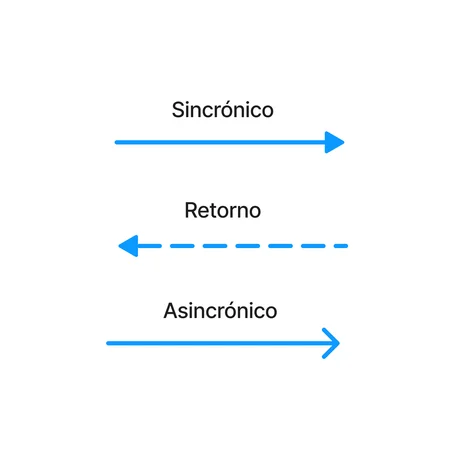
Messages: Represented by horizontal arrows between the lifelines of the objects, indicating communication. Arrows can be solid (method calls) or dashed (responses).
-
Activation: Thin rectangles on a lifeline that indicate when an object is active or in control of the flow.
# Putting It All Together
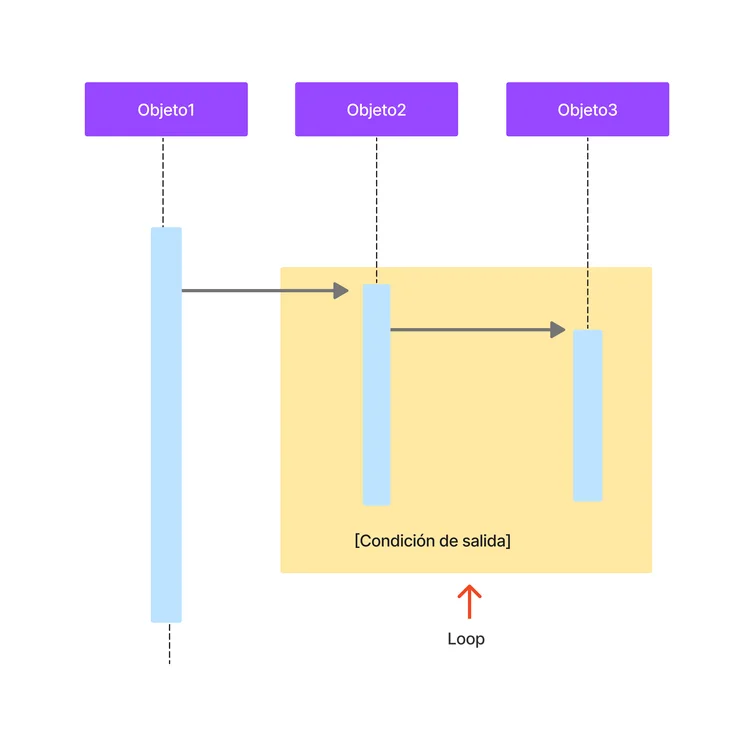
We can also add Loops
# Example: Authentication system
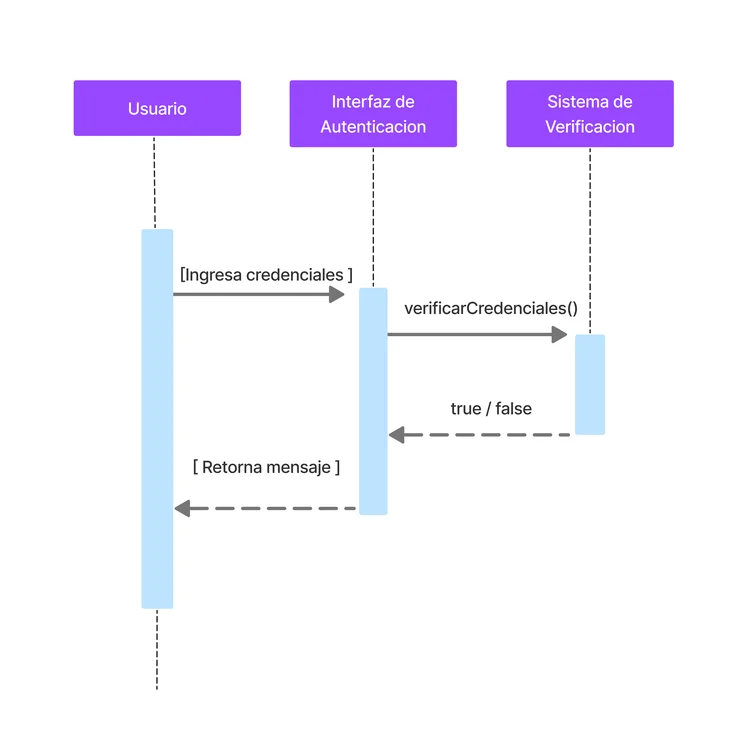
The User enters credentials, which the Authentication Interface collects and sends to the Verification System.
The Verification System checks the credentials and returns the result.
A possible code:
public class AuthenticationInterface {
    public static boolean authenticate(User user) {
        VerificationSystem system = new VerificationSystem();
        return system.verifyCredentials(user.getUsername(), user.getPassword());
    }
}

public class VerificationSystem {
    public boolean verifyCredentials(String username, String password) {
        // Credential verification logic
        return true; // We assume it's always successful
    }
}

public class Main {
    public static void main(String[] args) {
        User user = new User("user", "password");
        boolean result = AuthenticationInterface.authenticate(user);

        if (result) {
            System.out.println("Login successful.");
        } else {
            System.out.println("Authentication error.");
        }
    }
}
# Purpose and Usage
-
Dynamic Interactions: Sequence diagrams are ideal for modeling specific interactions between objects, showing how operations are executed and messages are exchanged to perform a function.
-
Scenarios: They are perfect for representing concrete scenarios, such as use cases, where the exact sequence of steps and events needs to be understood.
-
Debugging and Design: They help identify potential problems in the interaction flow and are useful in the design and review of communication protocols between objects.
# Important Considerations
-
Focus on Messages: The focus is on the messages exchanged between objects, not on the internal processes of the objects themselves.
-
Temporal Order: The vertical order of messages indicates the order in time, which is fundamental for understanding the sequence of events.
# Conclusions
The sequence diagram is important to visualize the interaction of objects in a process, providing a clear view of the temporal sequence of messages.
Used effectively, especially in complex processes, they can significantly improve the quality and understanding of the design.